User Setup
This is where the user details are first entered and later maintained by the Administrator.
Setup Tab
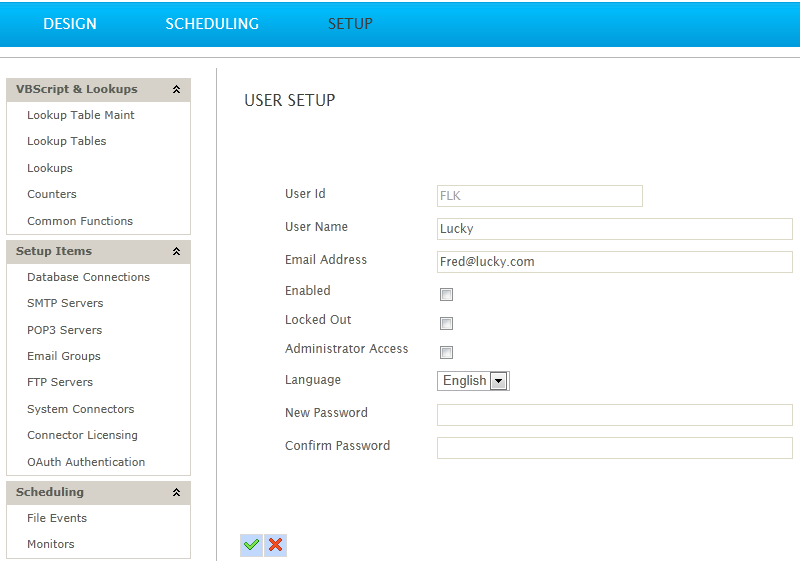
User Name
The user id - this should also be the user's email.
Email Address
This must be the user’s email address. Upon creation the user will be sent a registration email.
Locked Out
Indicates if a user is locked.
Users are locked when they fail to enter their password correctly 5 times in a 10 minute period.
Role
Either Admin or NonAdmin.
- Admin
- Has access to all functions within IMan.
- NonAdmin
- Non-admin users are limited to scheduling of designated integrations and maintenance of designated Lookup Tables.
- Users are assigned access via the Security Tab of the designated integration(s).
- Do not have the ability to maintain any other setup items, nor access to the designer.
Lock User (Button)
Toggle the Lock/Unlock User button.
Reset Password (Button)
Click the button to send a reset password to the user's email.