General navigation
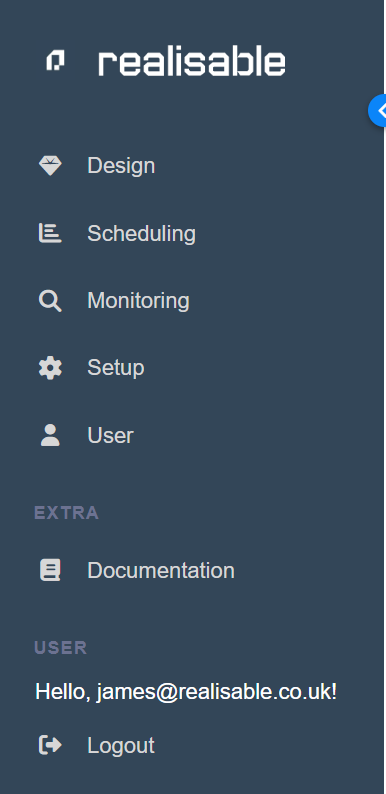
All navigation within IMan is between tabs located at the top of the active screen. All tabs and their functions are explored in detail throughout this manual.
However, to begin with, the primary tabs are discussed here.
The blue strip across the top of the main screen holds the primary navigation tabs.
left Menu
Integration Creation (Design Tab)
Navigate to the Integration Designer - the primary screen for integration setup.
Scheduling tab
Integrations are scheduled or run from this option.
Audit Log Query
Navigate to query the historical audit logs.
Setup & Administration
Setup will navigate to the maintenance (addition/editing/deletion) of many of the integration dependencies (Lookups, WebAPI, Database Connections, SMTP Servers, Email Groups, System Connectors, etc).
A pop-out menu will be displayed for all the setup items.
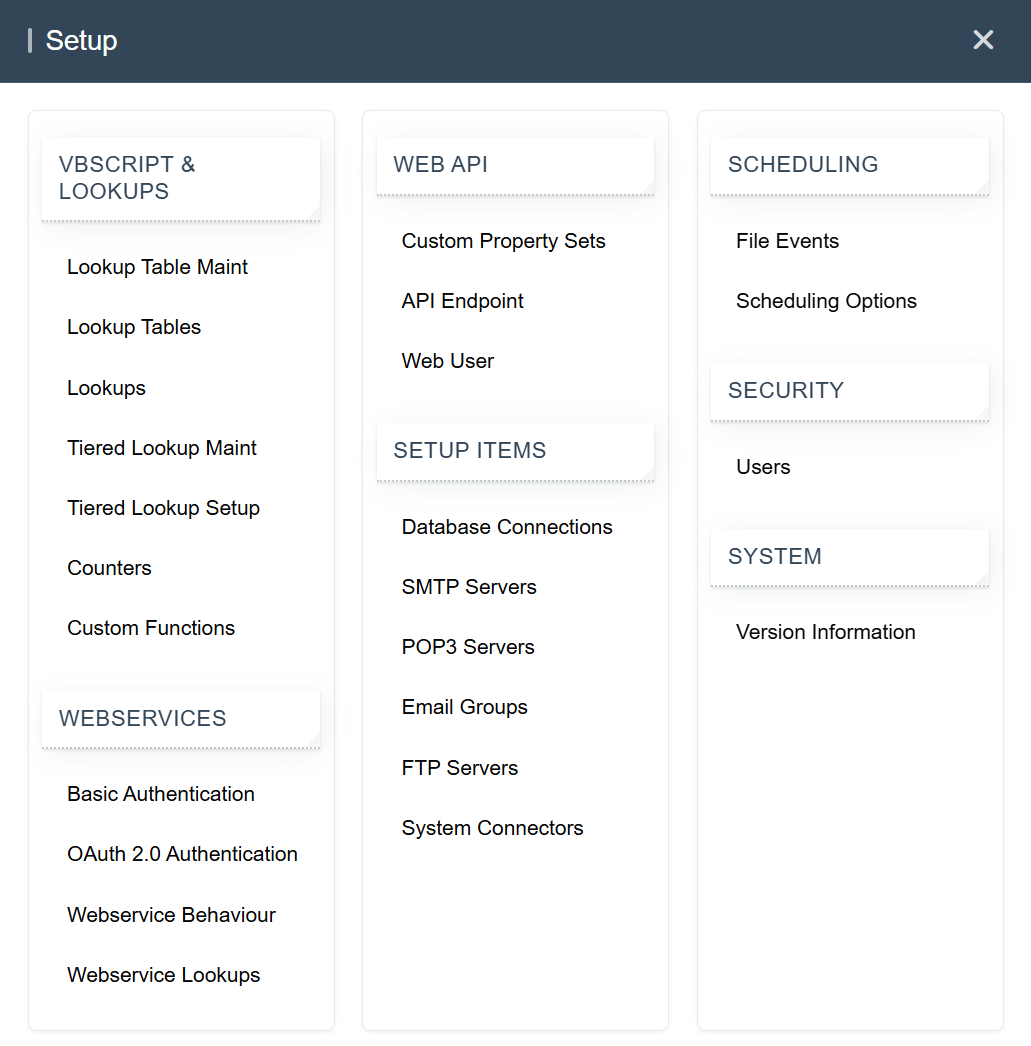
Setup & Administration
Current user details and password can be changed here.
Logout
Logs out of IMan immediately, without confirming.